
Products · Prices · Buying guides
HipoBuy Spreadsheet
Find the product, compare its options, and plan the order from purchase to delivery.
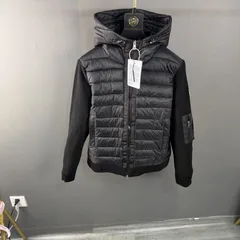

Browse product categories
What is HipoBuy, and how do you order?
HipoBuy is a shopping platform for finding and buying products from China. Your product order, warehouse inspection and international parcel are separate decisions.
This independent spreadsheet brings together 2,429 product references, displayed USD prices and the corresponding HipoBuy purchase links. Use it to compare candidates; confirm the selected option and current charges on the platform before paying.
This is an independent product directory and buying guide. It is not the official HipoBuy website.
- Choose a product and its optionsUse the categories or search, then record the exact item, colour, size and quantity.
- Submit the order on HipoBuyOpen the product’s purchase link, confirm its options and the displayed charges, then pay the product order. Buying guide
- Review the warehouse QCCompare the received item with your saved selection. Resolve a discrepancy or request a useful view before sending it. QC guide
- Choose shipping and pay the freightSelect the items, packing and eligible route for your destination. Review the parcel quote and pay international shipping. Shipping guide
- Track the parcel and check deliveryFollow the carrier events and check the contents and condition when the parcel arrives. Tracking guide
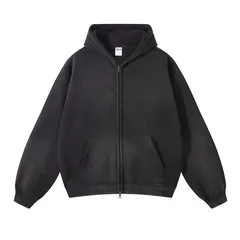
 Hoodies & Sweatshirts
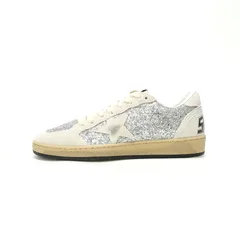 Shoes
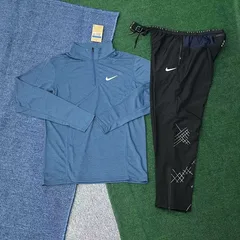 Sports Sets
 Casual Sets
Start with a product question
Instead of collecting every attractive item, write down what would make one suitable. A bag might need to hold a particular object; trousers might need a certain rise and length; a jacket might need room over a sweater. That question helps you reject unsuitable options early.
Make a compact comparison card
| Keep with the item | How it helps |
|---|---|
| Product reference | Returns you to the listing |
| Colour, size and quantity | Identifies the intended purchase |
| Relevant measurement | Lets you compare with something that fits |
| Included pieces | Separates the offer from surrounding styling |
| Price scope and currency | Prevents confusing product cost with delivery |
| One unresolved question | Makes the next action specific |
What a useful spreadsheet entry contains
Pick a task before comparing lists
Suppose you need trousers to wear with your existing shoes. Fit and length may matter more than the number of brands listed. Open a few relevant entries and see whether you can identify the selected size, measuring method and current product. A sheet that helps you answer those questions is doing useful work.
Check a sample of entries
| Question | Look for |
|---|---|
| Can I find the intended product? | A current destination matching the saved description |
| Can I identify the option? | Distinguishable colour, size, version and quantity |
| Can I compare the amount? | Currency and a clear explanation of what is included |
| Does the supporting image belong here? | A connection to the actual item or variant |
| Can I return to the shortlist? | Useful grouping instead of repeated or unlabelled links |
Give different products different questions
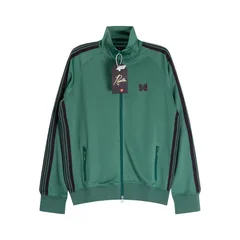
For this jersey reference, focus on the selected design and garment measurements. For this floral crossbody bag reference, dimensions, the opening and the included strap may determine whether it is useful. These are named catalogue starting points, not tested recommendations or promises of current stock.
Compare alternatives without creating duplicates
Several links may point to the same listing. Group them so they do not appear to be several independent choices. Conversely, two similar images can represent different versions; keep their prices and measurements attached to the correct item.
Write a short reason for retaining each alternative. A useful difference might be a fit option, a closure or a suitable size—not merely another colour you have no intention of buying.